
IEEE 754 Floating Point Explained Sign, Exponent & Mantissa
Master IEEE 754 floating point format sign, exponent, mantissa explained with real conversion examples for exams and coding interviews.
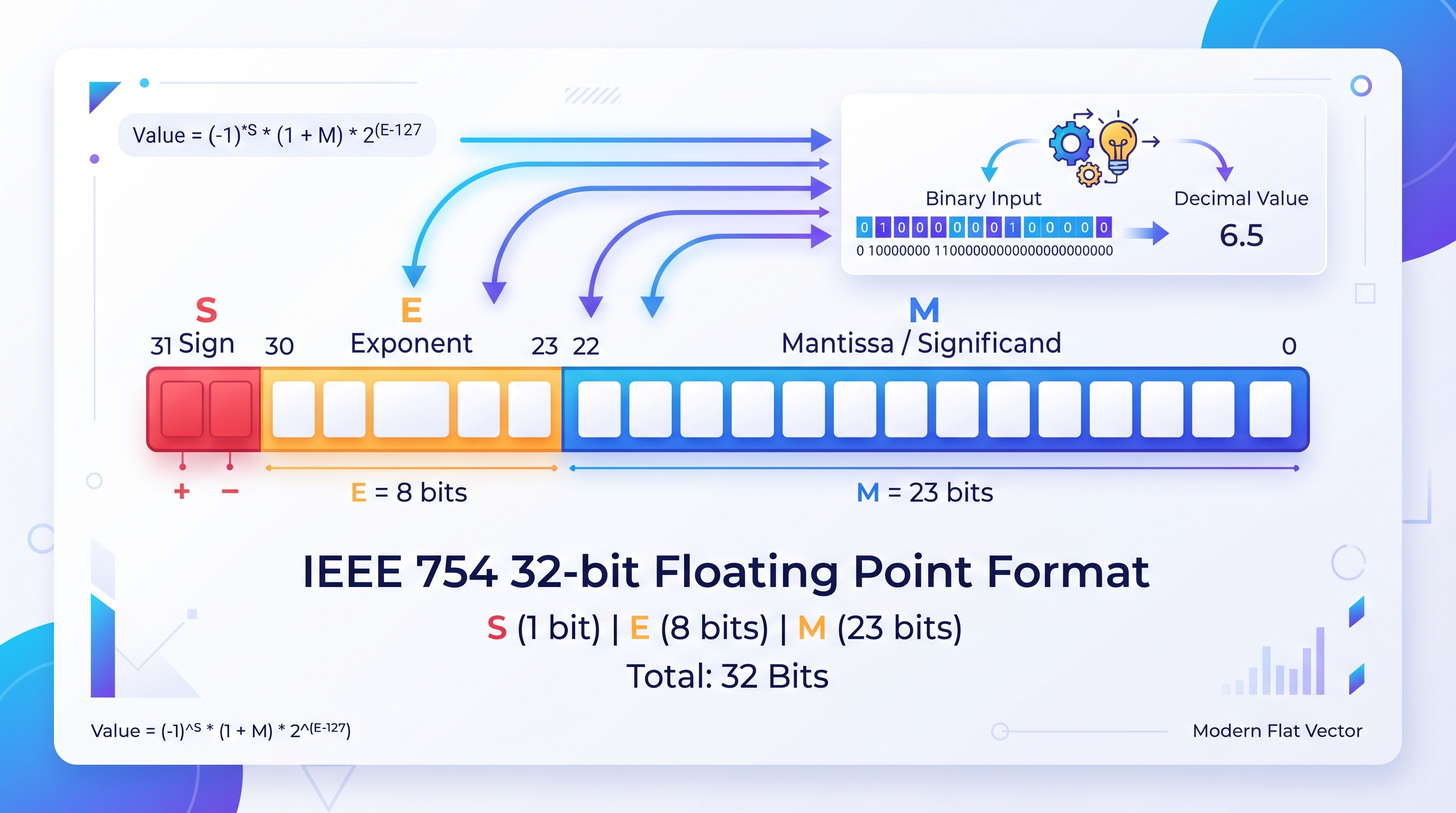
Caption: How IEEE 754 floating point representation splits a number into sign, exponent, and mantissa.
Introduction
If you’ve ever typed 0.1 + 0.2 into a Python or JavaScript console and gotten back something like 0.30000000000000004 instead of a clean 0.3, you’ve already run into IEEE 754 whether you knew it or not. IEEE 754 is the standard that defines how computers store decimal numbers with fractional parts in binary, and it’s the reason that “weird” rounding behavior shows up in pretty much every programming language you’ll ever use.
This guide breaks the format down in plain language, walks through real conversion examples step by step, and also covers the newer formats like FP16 and bfloat16 that have become genuinely important now that so much of modern computing revolves around AI and machine learning.
Quick Summary (TL;DR)
- IEEE 754 stores decimal numbers as three parts: sign, exponent, and mantissa.
- Single precision (float) uses 32 bits (1 sign + 8 exponent + 23 mantissa).
- Double precision (double) uses 64 bits (1 sign + 11 exponent + 52 mantissa), giving much higher precision.
0.1 + 0.2 ≠ 0.3because 0.1 can’t be represented exactly in binary this is a fundamental property, not a bug.- Newer AI-focused formats like FP16 and bfloat16 use just 16 bits, trading precision for speed and memory savings.
- Every mainstream language C, Java, Python, JavaScript, Rust follows this same standard.
Why This Matters
This isn’t just abstract trivia for a computer science exam (though it does show up constantly in GATE, university coursework, and technical interviews). Understanding IEEE 754 directly explains real bugs you’ll hit while coding like financial calculations that come out a cent off, comparisons that silently fail (0.1 + 0.2 == 0.3 returning false), or why machine learning engineers deliberately choose FP16 over FP32 to make models run faster on limited hardware. If you write code that touches numbers at all, this concept eventually affects you directly, not just in theory.
Why Do We Even Need IEEE 754?
Computers only understand binary, but we need to represent numbers like 3.14, −0.001, or 1,000,000.5 numbers with wildly different scales and precision needs. Storing these with a naive fixed-point approach wastes bits: you’d either run out of room for very large numbers or lose precision on very small ones.
IEEE 754 solves this the same way scientific notation does on paper. Instead of storing a number directly, it stores three pieces: a sign, an exponent, and a mantissa (the significant digits), combined using this formula:
Value = (−1)^sign × 1.mantissa × 2^(exponent − bias)
This lets a fixed number of bits represent an enormous range of values, from tiny fractions to astronomically large numbers, while keeping a reasonable and predictable level of precision.
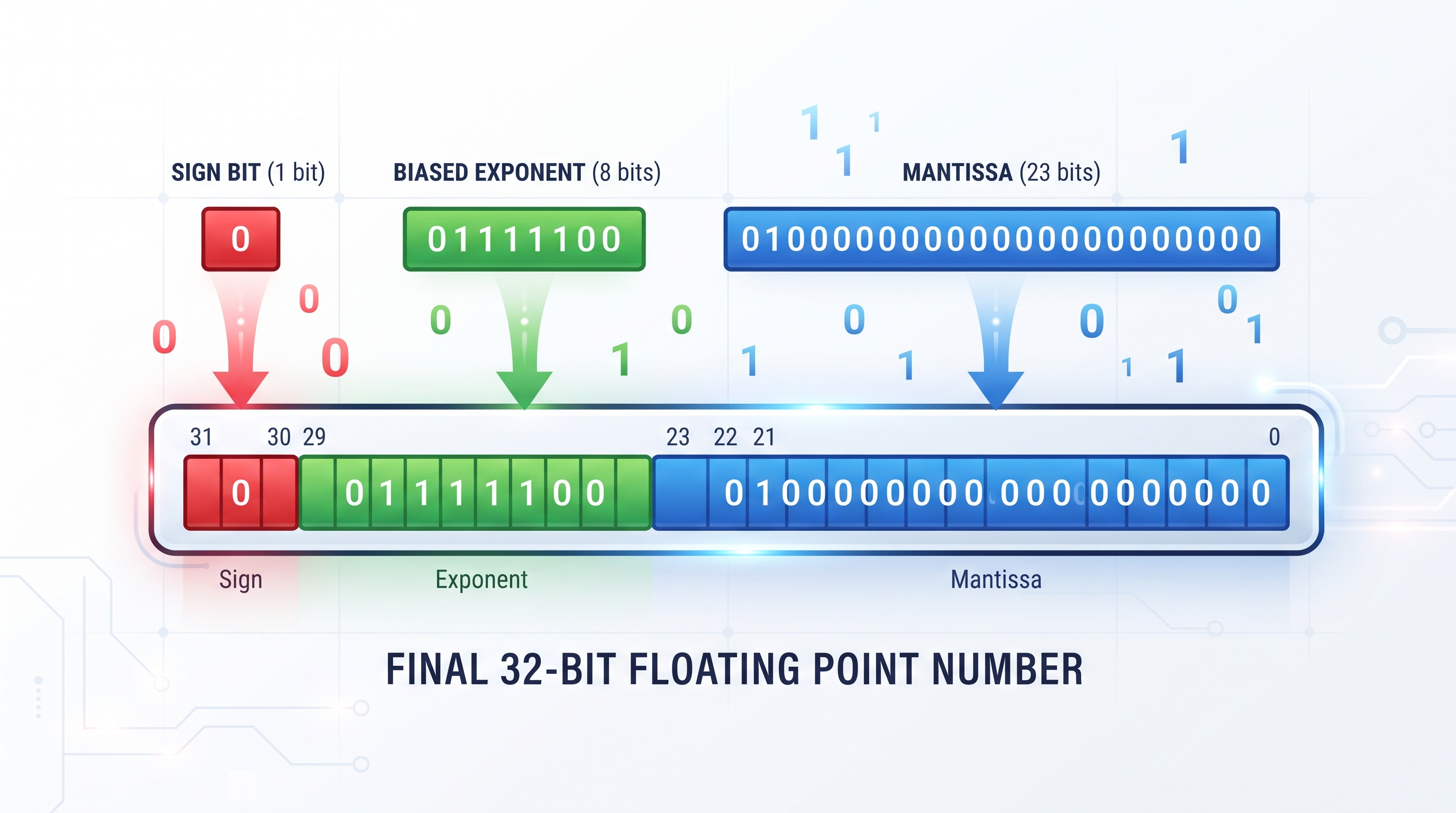
How the Format Is Structured
Single Precision (32-bit / float)
| Field | Bits | Purpose |
|---|---|---|
| Sign | 1 bit | 0 = positive, 1 = negative |
| Exponent | 8 bits | Biased exponent (bias = 127) |
| Mantissa | 23 bits | Fractional part (implicit leading 1) |
That’s 1 + 8 + 23 = 32 bits total, which is why this format is usually just called “float” in most programming languages.
Double Precision (64-bit / double)
| Field | Bits | Purpose |
|---|---|---|
| Sign | 1 bit | 0 = positive, 1 = negative |
| Exponent | 11 bits | Biased exponent (bias = 1023) |
| Mantissa | 52 bits | Fractional part (implicit leading 1) |
That’s 1 + 11 + 52 = 64 bits total, giving roughly double the usable precision of the 32-bit format — hence the name “double.”
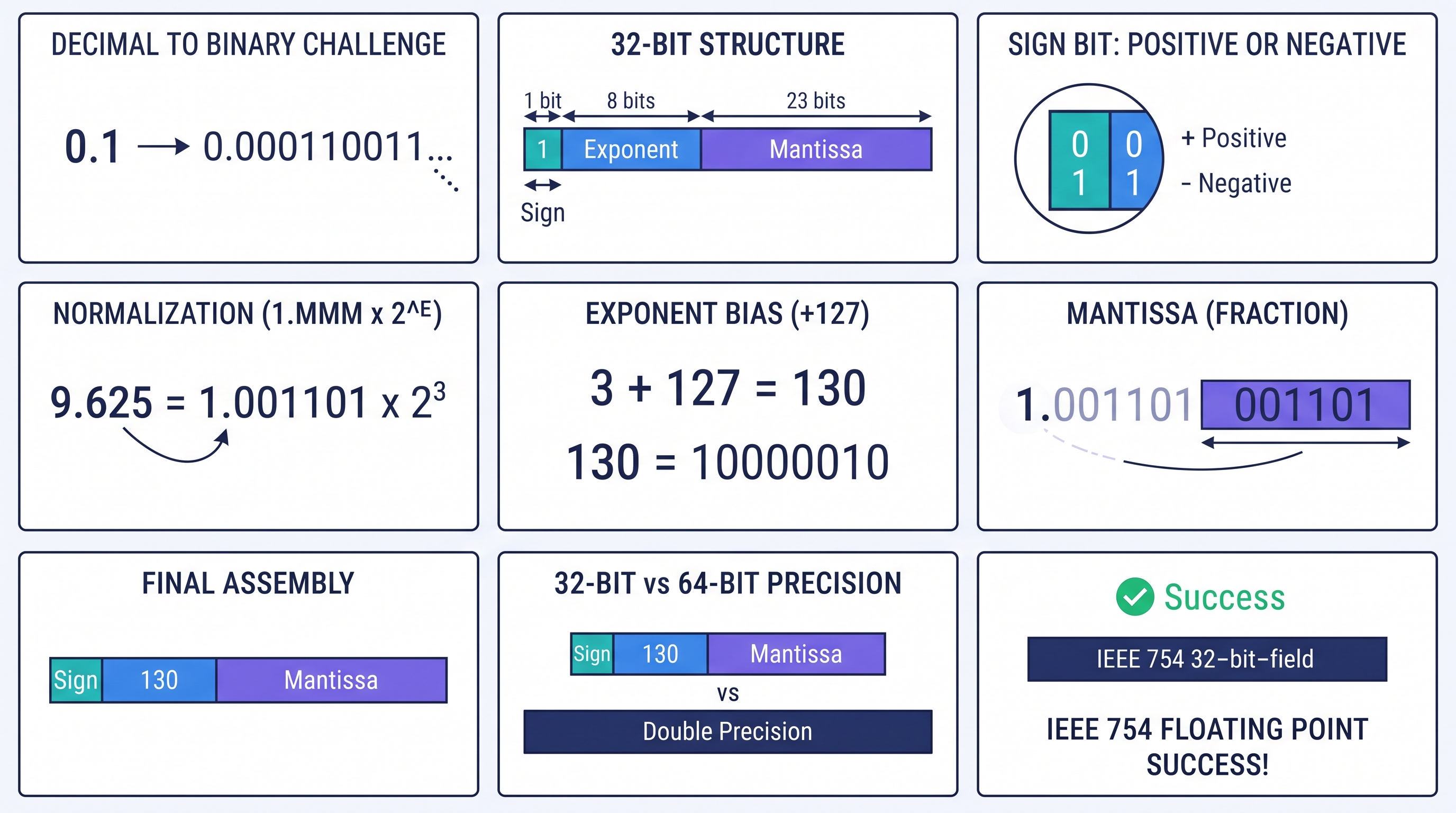
Converting a Decimal Number to IEEE 754, Step by Step
Let’s walk through converting −6.75 into its 32-bit IEEE 754 representation.
Step 1: Figure out the sign bit The number is negative, so the sign bit is 1.
Step 2: Convert the absolute value to binary Take 6.75 and split it into an integer part and a fractional part:
- Integer part: 6 =
110 - Fractional part: 0.75 → multiply by 2 repeatedly: 0.75 × 2 = 1.5 (write 1), 0.5 × 2 = 1.0 (write 1) →
0.11 - Combined:
110.11
Step 3: Normalize it into binary scientific notation
110.11 becomes 1.1011 × 2². Since the leading 1 is always implied in a normalized number, we don’t actually store it we only store what comes after the decimal point, padded out to 23 bits: 1011 becomes 10110000000000000000000.
Step 4: Work out the biased exponent
The actual exponent here is 2. Add the bias of 127: 2 + 127 = 129, which in binary is 10000001.
Step 5: Put it all together
| Sign | Exponent | Mantissa |
|---|---|---|
| 1 | 10000001 | 10110000000000000000000 |
Final result: 1 10000001 10110000000000000000000, which converts to the hex value 0xC0D80000.
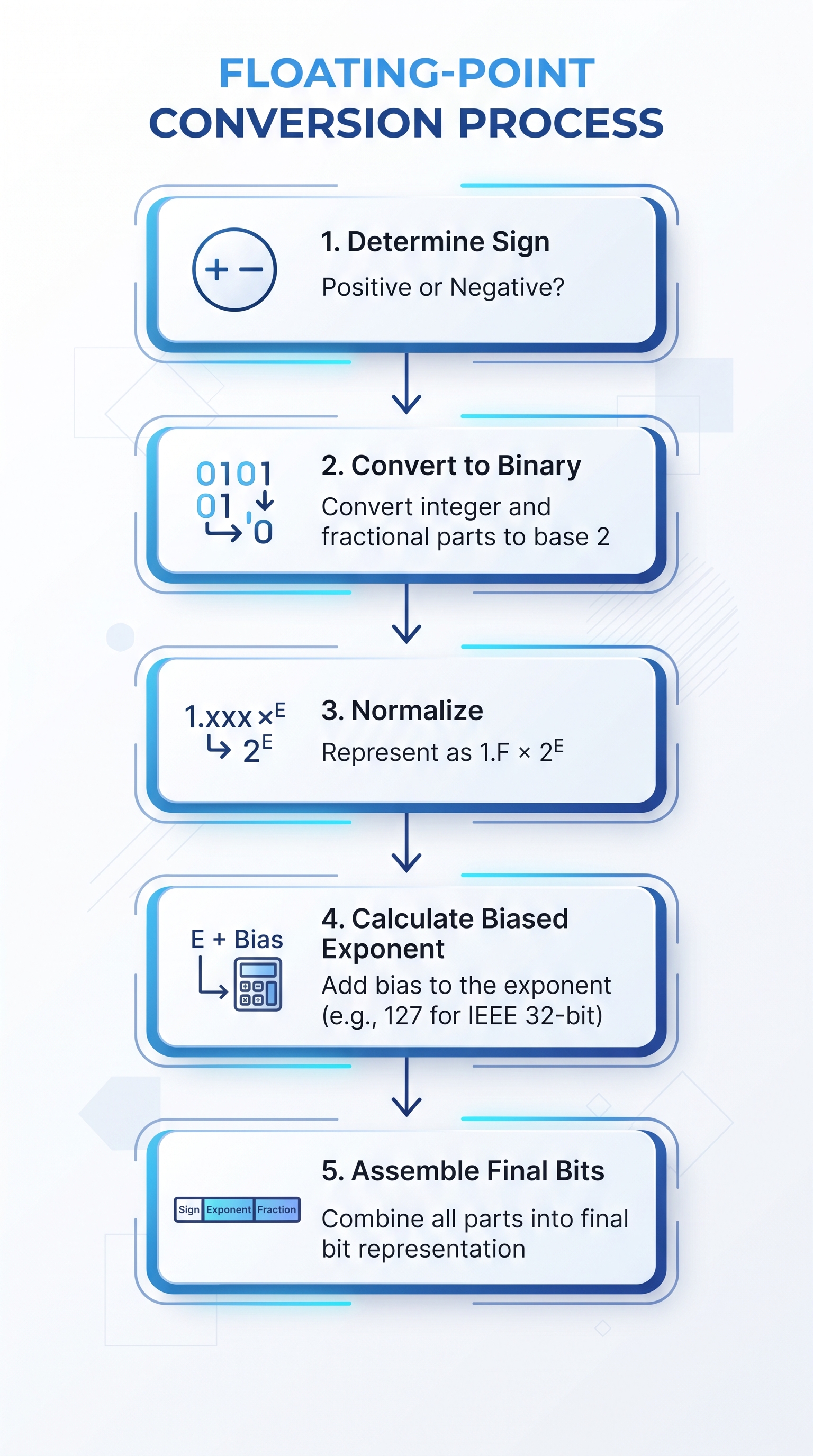
Going the Other Way: IEEE 754 Back to Decimal
Now let’s reverse the process. Given the bit pattern: 0 10000010 10100000000000000000000
Step 1 - Sign: the first bit is 0, so the number is positive.
Step 2 - Exponent: 10000010 in binary is 130 in decimal. Subtract the bias: 130 − 127 = 3.
Step 3 - Mantissa: the stored bits are 10100000.... Add back the implicit leading 1, and the full significand becomes 1.101.
Step 4 - Final value: 1.101 × 2³ = 1101.0 in binary, which is 13.0 in decimal.
Special Values Worth Knowing
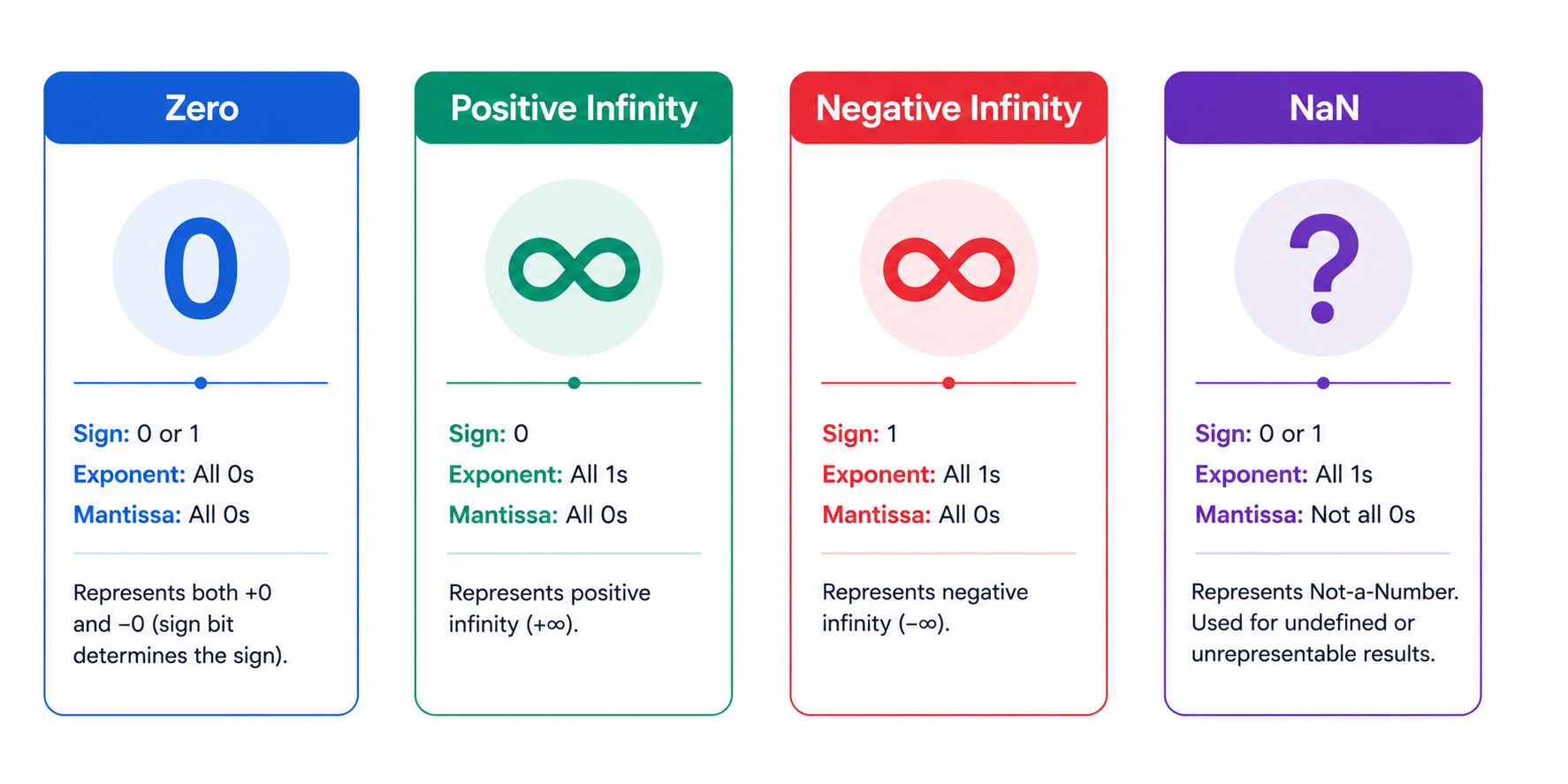
IEEE 754 also reserves specific bit patterns for edge cases that come up constantly in real computation — division by zero, overflow, and invalid operations:
| Value | Sign | Exponent | Mantissa |
|---|---|---|---|
| +0 | 0 | 00000000 | 00…0 |
| −0 | 1 | 00000000 | 00…0 |
| +∞ | 0 | 11111111 | 00…0 |
| −∞ | 1 | 11111111 | 00…0 |
| NaN | 0 or 1 | 11111111 | non-zero |
The pattern to remember: an all-zero exponent with a zero mantissa gives you zero (positive or negative, since even zero technically has a sign bit). An all-ones exponent with a zero mantissa gives you infinity. And an all-ones exponent with a non-zero mantissa gives you NaN “Not a Number” which shows up when you do something mathematically undefined, like dividing zero by zero.
Beyond Single and Double: Half Precision and bfloat 16
Single and double precision cover most traditional programming needs, but they’re not the whole story anymore. With the rise of large-scale AI training and inference, two smaller floating-point formats have become genuinely important to know:
Half precision (FP16) uses just 16 bits total: 1 sign bit, 5 exponent bits, and 10 mantissa bits. It offers roughly 3 significant decimal digits of precision and a much smaller range than single precision (around ±65,504), but it uses half the memory and runs faster on hardware that supports it which is exactly why it’s popular for training and running neural networks, where perfect precision matters less than speed and memory savings.
bfloat16 (“Brain Floating Point”) takes a different tradeoff: it also uses 16 bits, but allocates them as 1 sign bit, 8 exponent bits, and only 7 mantissa bits. That means it keeps the same exponent range as full 32-bit single precision (so it won’t overflow or underflow as easily as FP16), while sacrificing more precision in the mantissa. This makes bfloat16 especially popular in machine learning training pipelines, since it plays nicely with values that might otherwise get too large or too small during training.
If you’re working anywhere near modern AI/ML infrastructure, you’ll run into both of these formats constantly most GPU-based training and quantized inference these days leans on one or the other.
A Quick Note on Rounding Modes
IEEE 754 doesn’t just define how numbers are stored it also defines how rounding should happen when a value can’t be represented exactly. The most common mode, and the default in almost every system, is round to nearest, ties to even (sometimes called “banker’s rounding”), which minimizes long-run bias compared to always rounding up or down. Other defined modes include rounding toward zero, rounding toward positive infinity, and rounding toward negative infinity useful in specialized numerical computing contexts where directional rounding behavior matters.
Why Doesn’t 0.1 + 0.2 Equal 0.3?
This is the single most common “gotcha” question about floating-point math, and the answer comes down to one simple fact: 0.1 cannot be represented exactly in binary. Written out, it becomes an infinitely repeating binary fraction (0.000110011...), similar to how 1/3 becomes an infinitely repeating decimal (0.333...) in base 10.
Since computers only have a finite number of bits to work with, that infinite repetition gets cut off and rounded introducing a tiny error. When you add two already-imprecise values like 0.1 and 0.2 together, those small errors combine, and the result ends up just slightly off from the mathematically “clean” 0.3.
This isn’t a programming bug or a flaw in a particular language it’s a fundamental, unavoidable property of how binary floating-point numbers work, and it affects every language built on IEEE 754.
Precision and Range at a Glance
| Format | Significant digits | Range |
|---|---|---|
| Half (16-bit) | ~3 decimal digits | ±65,504 |
| Single (32-bit) | ~7 decimal digits | ±3.4 × 10³⁸ |
| Double (64-bit) | ~15 decimal digits | ±1.8 × 10³⁰⁸ |
Where Each Format Is Actually Used (Real-World Examples)
| Use Case | Typical Format Used |
|---|---|
| Everyday app math, UI counters | Single precision (float) |
| Scientific computing, financial systems | Double precision (double) |
| Game engine physics | Single precision (float) |
| Neural network training (GPU) | FP16 or bfloat16 |
| Quantized AI inference on edge devices | FP16 or INT8 |
| Spreadsheet software (Excel, Google Sheets) | Double precision (double) |
Which Format Should You Use? (Decision Helper)
- Choose single precision (float) when memory and speed matter more than exact precision — game physics, real-time graphics, embedded systems.
- Choose double precision (double) when accuracy matters most financial calculations, scientific simulations, anything where small errors compound over many operations.
- Choose FP16 when you’re training or running AI models on GPU hardware that supports it, and can tolerate a small accuracy tradeoff for speed and memory savings.
- Choose bfloat16 when you need FP16-like speed but still want single-precision-like exponent range to avoid overflow during AI training.
Common Mistakes and Misconceptions
- Assuming floating-point errors are a bug - they’re not; they’re a mathematical consequence of representing infinite decimals in finite binary bits.
- Using
==to compare floating-point numbers directly- always use a small tolerance (epsilon) comparison instead of exact equality. - Using float for financial calculations - even double precision can introduce rounding errors over many operations; dedicated decimal types are safer for currency.
- Confusing FP16 with reduced accuracy everywhere - it’s a deliberate tradeoff useful specifically for AI workloads, not a “worse” format in general.
- Forgetting the implicit leading 1 - a very common exam mistake is forgetting to add back the implicit 1 when converting a stored mantissa back to decimal.
Practice Questions
- Convert
10.5to its 32-bit IEEE 754 representation. - What decimal value does the bit pattern
0 01111111 00000000000000000000000represent? - What is the biased exponent for an actual exponent of −3 in single precision?
- Is
0.25an exact IEEE 754 value? Why or why not? - How many total bits does bfloat16 use, and how are they split?
(Answers: 1. 0 10000010 01010000000000000000000 2. 1.0 × 2⁰ = 1.0 3. −3 + 127 = 124 = 01111100 4. Yes — 0.25 = 2⁻², a finite power of 2, so it stores exactly 5. 16 bits total: 1 sign + 8 exponent + 7 mantissa)
Interview Questions
- Explain the three components of an IEEE 754 floating-point number.
- Why does IEEE 754 use a biased exponent instead of a signed exponent?
- What is the difference between FP16 and bfloat16, and when would you choose one over the other?
- Why should you avoid using
==to compare floating-point numbers in code? - What is a subnormal (denormalized) number, and why does it exist?
Frequently Asked Questions
What is the bias in IEEE 754 single precision?
The bias is 127. Rather than storing the exponent’s sign separately, the actual exponent is simply added to 127 before storage, which allows both positive and negative exponents to be represented using only unsigned binary values.
Why is there an implicit leading 1?
In normalized binary scientific notation, the leading digit is always 1 — it never varies. Since that bit is guaranteed to always be there, IEEE 754 simply doesn’t bother storing it, effectively getting one extra bit of precision for free.
What is a denormalized (subnormal) number?
When the exponent field is all zeros but the mantissa isn’t zero, the number is considered denormalized. These represent extremely small values very close to zero, using an implicit leading 0 instead of 1, which allows for what’s called “gradual underflow” instead of an abrupt jump straight to zero.
Can IEEE 754 represent every decimal number exactly?
No only numbers that can be written as a finite sum of negative powers of 2 are exact. For example, 0.5 (which is 2⁻¹) stores perfectly, but 0.1 does not, since it requires an infinite binary fraction. This is exactly why floating-point rounding errors happen.
What is FP16, and why does AI use it?
FP16 (half precision) is a compact 16-bit floating-point format that trades off precision and range in exchange for using half the memory and running faster on supported hardware. Since neural networks are generally more tolerant of small numerical errors than traditional scientific computing, FP16 (and its cousin, bfloat16) has become a standard choice for training and running large AI models efficiently.
What languages use IEEE 754?
Virtually every modern programming language relies on it: C and C++ (float/double), Java (float/double), Python (float), JavaScript (where every number is actually a 64-bit double under the hood), and Rust (f32/f64) all follow the IEEE 754 standard.
Conclusion
IEEE 754 might look intimidating at first glance, but at its core it’s just a clever way of doing scientific notation in binary a sign, an exponent, and a mantissa working together to represent an enormous range of numbers with a fixed number of bits. Once you understand that tradeoff, the “weird” behavior of floating-point math like 0.1 + 0.2 not quite equaling 0.3 stops being mysterious and starts being predictable. Whether you’re prepping for an exam, debugging a numerical edge case, or picking between FP16 and FP32 for a machine learning model, you now have the foundation to make that decision with confidence.
Try It Yourself
Use the free IEEE 754 Converter on Numverto to convert any decimal number into its 32-bit and 64-bit representations instantly. The tool breaks down the sign, exponent, and mantissa fields separately and shows the hex output too — handy for double-checking exam answers or debugging unexpected floating-point behavior in your own code.
Related Tools
Related Articles
Free tools
Learn faster with Numverto
Free number system converters, binary tools, EMI calculators, and more, with step-by-step working.
Written by

By Mannu Kumar
Founder of Numverto. MCA graduate, full-stack developer, and lifelong learner who built this platform so every student gets the explanation, not just the answer.
Related tools
More from Numverto Blog
IEEE 754 Standard
Why Does 0.1 + 0.2 Equal 0.30000000000000004? Floating-Point Errors Explained
Understand why computers produce floating-point precision errors, how the IEEE 754 standard stores decimal numbers in binary, why rounding occurs, and the best practices developers use to write accurate, reliable code.
1 July 2026
number systems
Number System Conversion Tricks and Shortcuts — BCA BTech Exam Guide
Quick tricks and shortcuts for binary, octal, decimal, and hexadecimal conversion for BCA/BTech exams. Memory tricks, quick reference tables, and common exam questions.
30 June 2026
Discussion